Kids And Codes LMS
Jun 2025 - Mar 2026
Kids & Codes is an online platform that teaches coding to children, built as a Turborepo monorepo with a Next.js student experience, Expo parent app, Laravel API, and Filament panels for admins, tutors, and curriculum developers.
Table of Contents
- Project Overview
- My Role & Team Structure
- Project Management & Delivery
- Architecture & Technical Strategy
- Landing Page — First Impression
- Student Platform — The Core Product
- Parent App — Mobile Experience
- Staff Dashboards — From Refine to Filament
- Backend — Filament Admin Panels
- Challenges & How I Solved Them
1. Project Overview
Kids & Codes is an online education platform that teaches coding to children. It is not a single app — it is an ecosystem of interconnected products serving five distinct user types, each with different needs and interfaces:
| User | What they need | What I built |
|---|---|---|
| Student | An engaging, gamified learning experience | A full web platform with courses, quizzes, leaderboards, a shop, and social profiles |
| Parent | Visibility into their child's progress and a way to pay | A cross-platform mobile app with enrollment, payment, and push notifications |
| Tutor | Tools to manage sessions, review submissions, and track students | A Filament admin panel with calendar, grading, and progress tracking |
| Admin | Operational oversight — enrollments, revenue, at-risk students | A Filament dashboard with analytics widgets, full CRUD for all entities |
| Curriculum Developer | A way to author and organise course content | A Filament panel focused on course templates, units, steps, and quizzes |
The entire platform is backed by a single Laravel 12 REST API. Every frontend I built consumes the same backend — the challenge was designing a frontend architecture that could serve all these audiences without duplicating effort.
2. My Role & Team Structure
This was a two-person team. My collaborator Salah Obied designed and built the entire backend — the API, data models, business logic, payment integrations, gamification engine, and test suite.
My responsibilities:
- All frontend development — I designed the architecture, chose the technologies, and built every frontend application from scratch: the landing page, student platform, parent mobile app, and the initial staff dashboards
- All Filament admin panels — I built the three admin interfaces (admin, tutor, curriculum) on the backend using Laravel Filament, including custom dashboard widgets and complex forms
- Project management — I set up and maintained the Scrum process, ran sprint planning, and kept delivery on track across both frontend and backend workstreams
- Architecture decisions — I owned all decisions about how the frontend was structured, how apps shared code, how authentication worked across different platforms, and when to migrate away from our initial approach
3. Project Management & Delivery
With only two people and no dedicated project manager, I needed a lightweight but disciplined process to keep us moving without stepping on each other's work.
I set up a Notion Scrum board organised into two-week sprints. Each sprint had a clear goal, and every task was a card with a description, assignee, and priority. The board flowed through Backlog, In Progress, In Review, Done.
Why this approach worked for us:
- Single source of truth — Salah and I worked asynchronously with different schedules. The board replaced the need for daily standups. At any point, either of us could open Notion and see exactly what the other was working on.
- Prevented duplicate effort — We were often building the same feature from different angles simultaneously. For example, Salah would build the enrollment API while I built the enrollment management UI. The board made these parallel workstreams visible so we could coordinate handoffs.
- Forced end-to-end delivery — Sprint reviews created a deadline to ship complete features, not half-built APIs or disconnected UIs. If a feature wasn't usable by the end of the sprint, it went back to In Progress.
- Living requirements — Instead of writing long specification documents upfront, each card described one slice of functionality. This kept scope tight and allowed us to adapt priorities as we learned more about what the platform needed.
Over ~8 months, this process carried us from an empty repository to a fully operational platform with six applications serving five user roles.
4. Architecture & Technical Strategy
The Big Picture
The most important architectural decision I made early on was to structure the frontend as a monorepo — a single repository containing all frontend applications and shared packages, orchestrated by Turborepo and managed with pnpm workspaces.
Why a monorepo instead of separate repositories:
With six frontend applications that share design tokens, UI components, authentication logic, and API contracts, separate repositories would have meant maintaining the same code in multiple places. Every time the backend changed an API response shape, I would have had to update it in three or four different repos. The monorepo eliminated that — shared packages live in one place, and every app that depends on them automatically gets the update.
Shared Package Strategy
Rather than letting each app manage its own dependencies independently — which inevitably leads to version drift and subtle bugs — I created a layered package system:
- A shared UI library containing the common component system (rich text editor, design primitives, interactive elements) used across all web apps
- Shared dependency packages that pin the exact versions of major frameworks so that upgrading React, Next.js, or any other core library is a single change that propagates to every app
- Shared utility packages for common functions like date formatting, locale handling, and styling helpers
This meant that a single version bump in one shared package would update all downstream apps simultaneously, and Turborepo's build pipeline would automatically rebuild only what changed.
Build Pipeline & Cache Intelligence
I configured Turborepo so that the backend API URL participates in the build cache hash. This might sound like a small detail, but without it, switching from a staging to a production API URL would not trigger a rebuild — apps would silently ship pointing at the wrong environment. Getting the caching strategy right saved significant build time during development while preventing this class of deployment bug entirely.
5. Landing Page — First Impression
The landing page is the public face of Kids & Codes — the first thing prospective parents and students see before signing up.
I built it as a server-rendered Next.js application for fast load times and strong SEO, sharing the monorepo's UI library for visual consistency with the student platform.
What it delivers:
- Course catalog — filterable listing of all available courses, each with a detailed brochure page that includes downloadable PDFs. Courses are displayed with localised content depending on the visitor's language.
- Blog — articles about coding education, teaching methodology, and platform updates
- Interactive world map — a data visualisation showing where Kids & Codes students are located around the globe, built with geographic projection libraries to give a compelling sense of the platform's reach
- Event calendar — upcoming workshops, bootcamps, and live sessions
- Partner & contact pages — inquiry forms for institutional partnerships
- FAQ — organised by topic for parents evaluating the platform
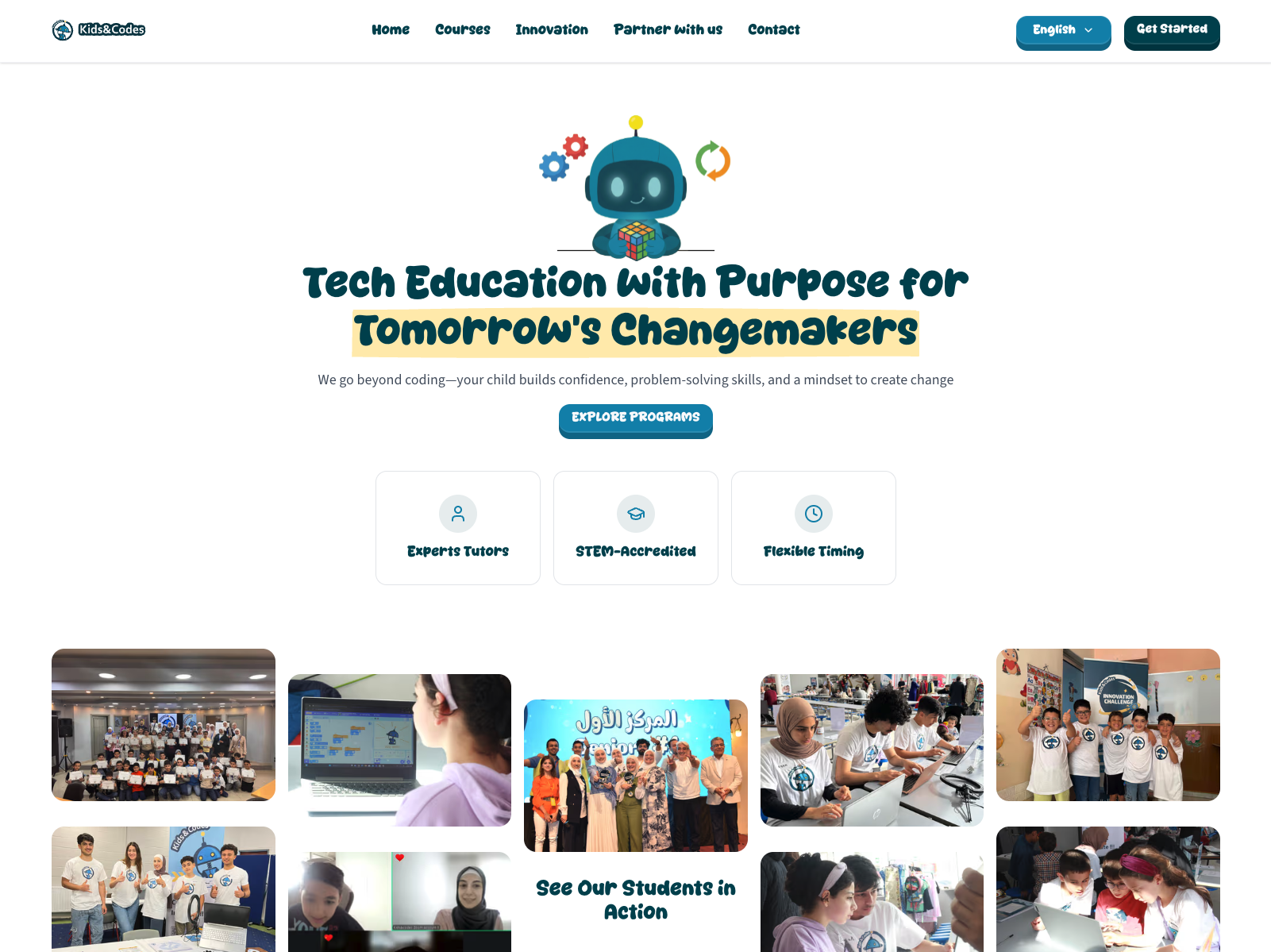
Internationalisation was a first-class concern: the entire landing page supports English, Arabic, and German, with right-to-left layout support for Arabic. Language switching is seamless — the page re-renders server-side in the selected locale without a full page reload.
Analytics are powered by PostHog, giving the team visibility into which pages visitors engage with most and how they navigate toward enrollment — all without writing custom tracking code.
6. Student Platform — The Core Product
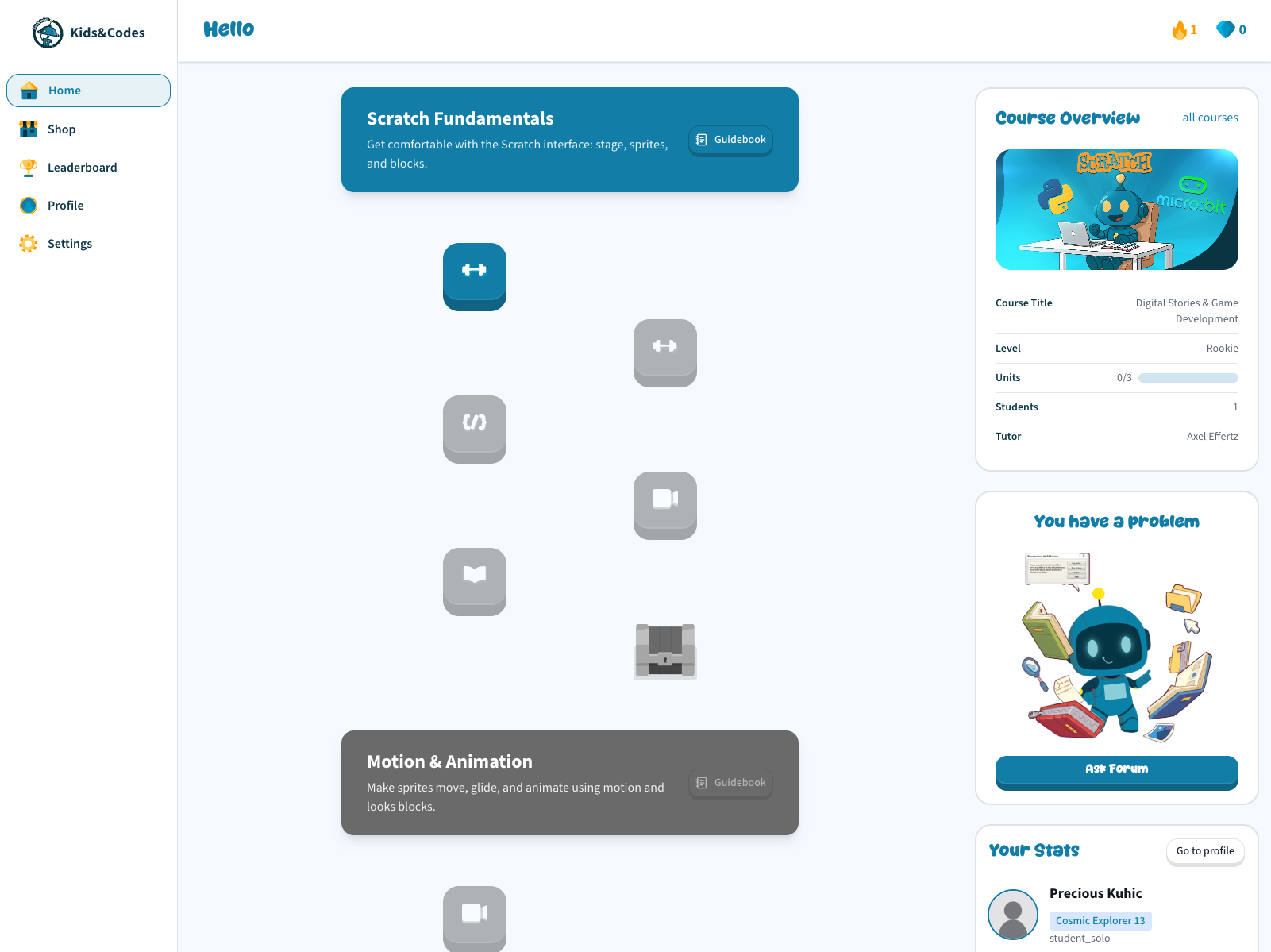
The student platform is the heart of Kids & Codes — where learning actually happens. I built it as a Next.js application with server-side rendering, which matters for two reasons: pages load fast even on slower connections (important for a children's audience), and authenticated API calls happen on the server before the page reaches the browser, so students never see a loading spinner when they first open their dashboard.
Learning Experience
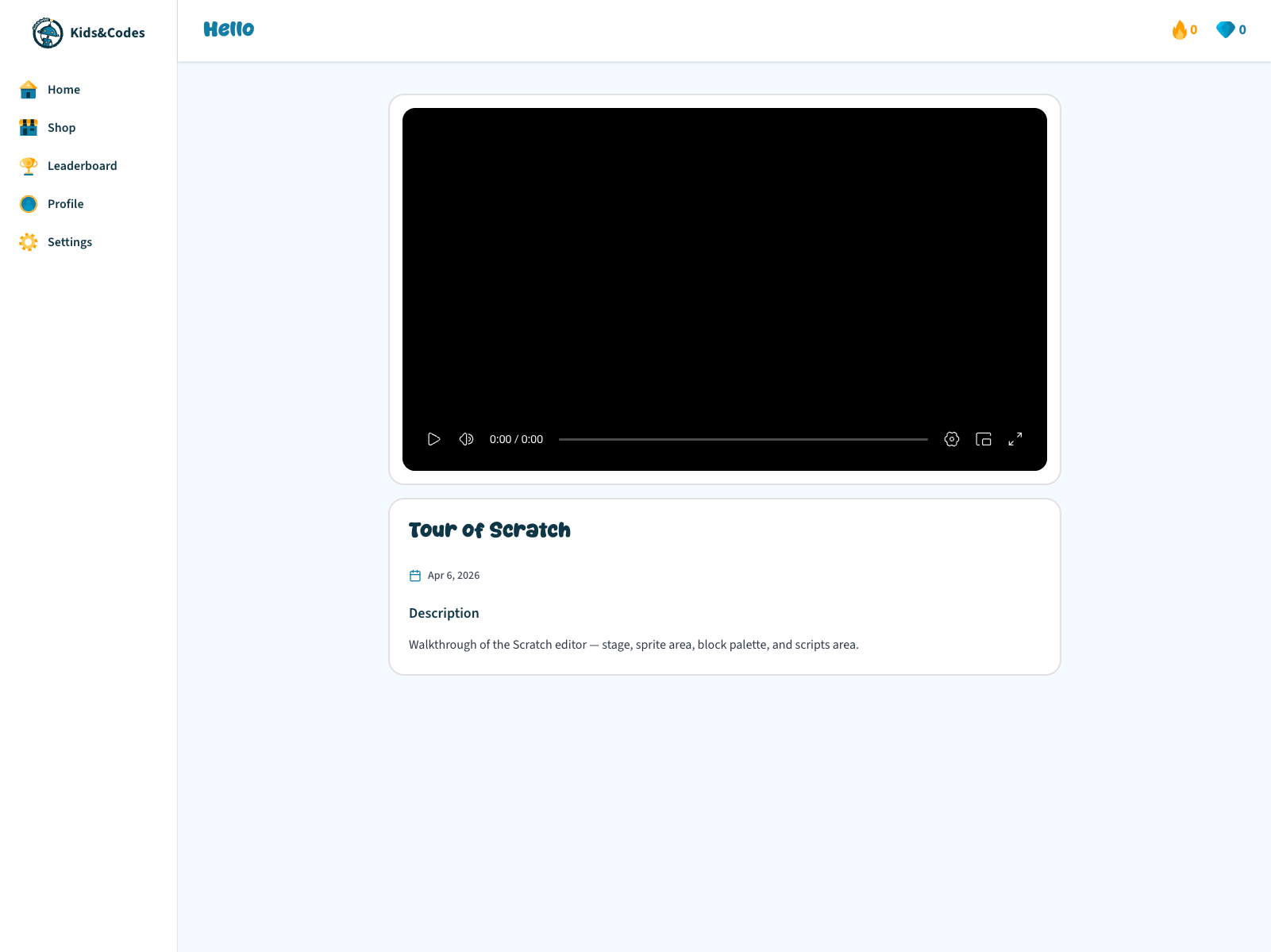
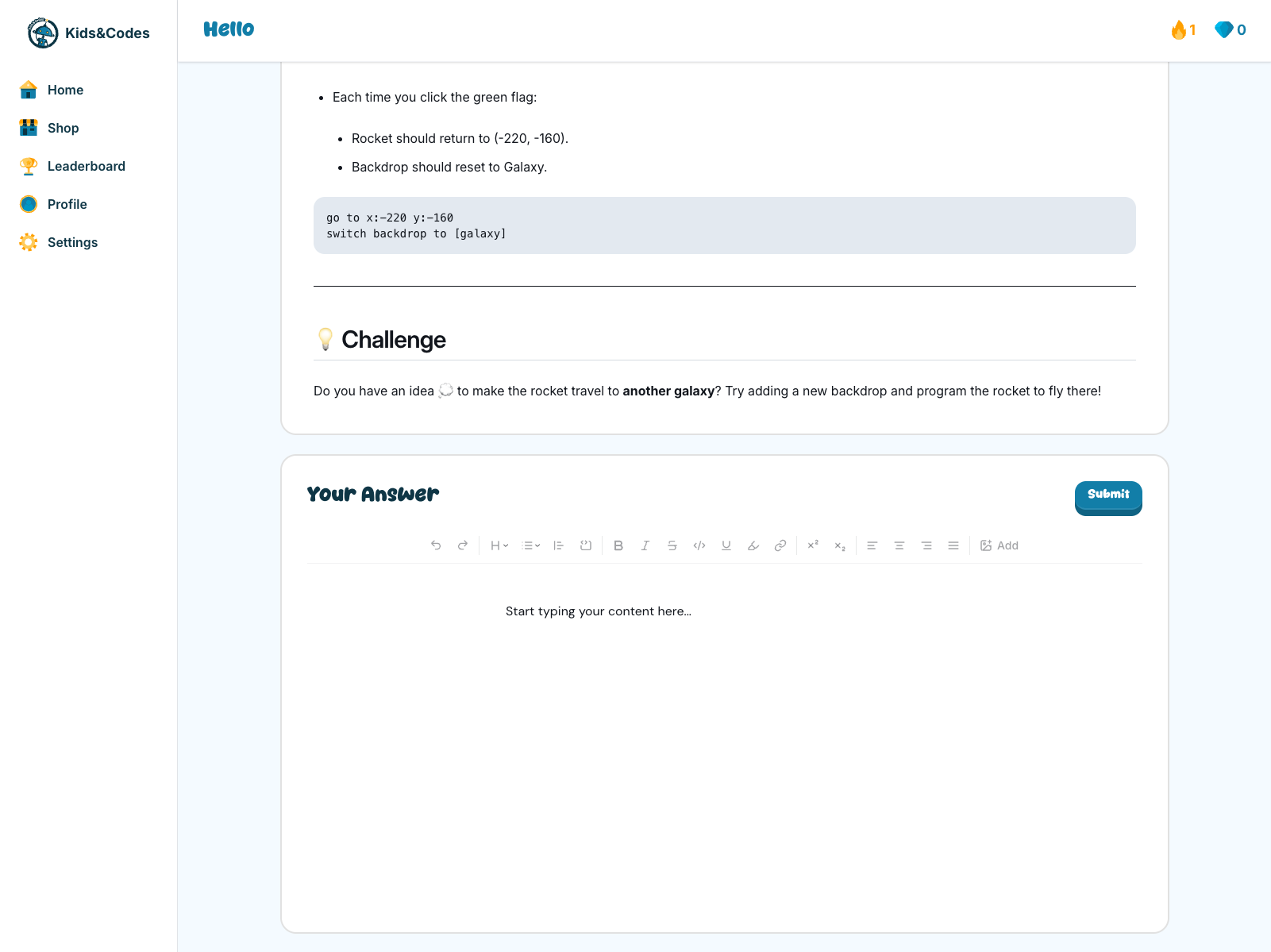
Students progress through a structured path: Courses contain Units, and Units contain Steps. Each step can be a different type of content — a video lesson, a document to read, a quiz to test understanding, or a coding problem to solve. The platform automatically presents the right interface for each step type.
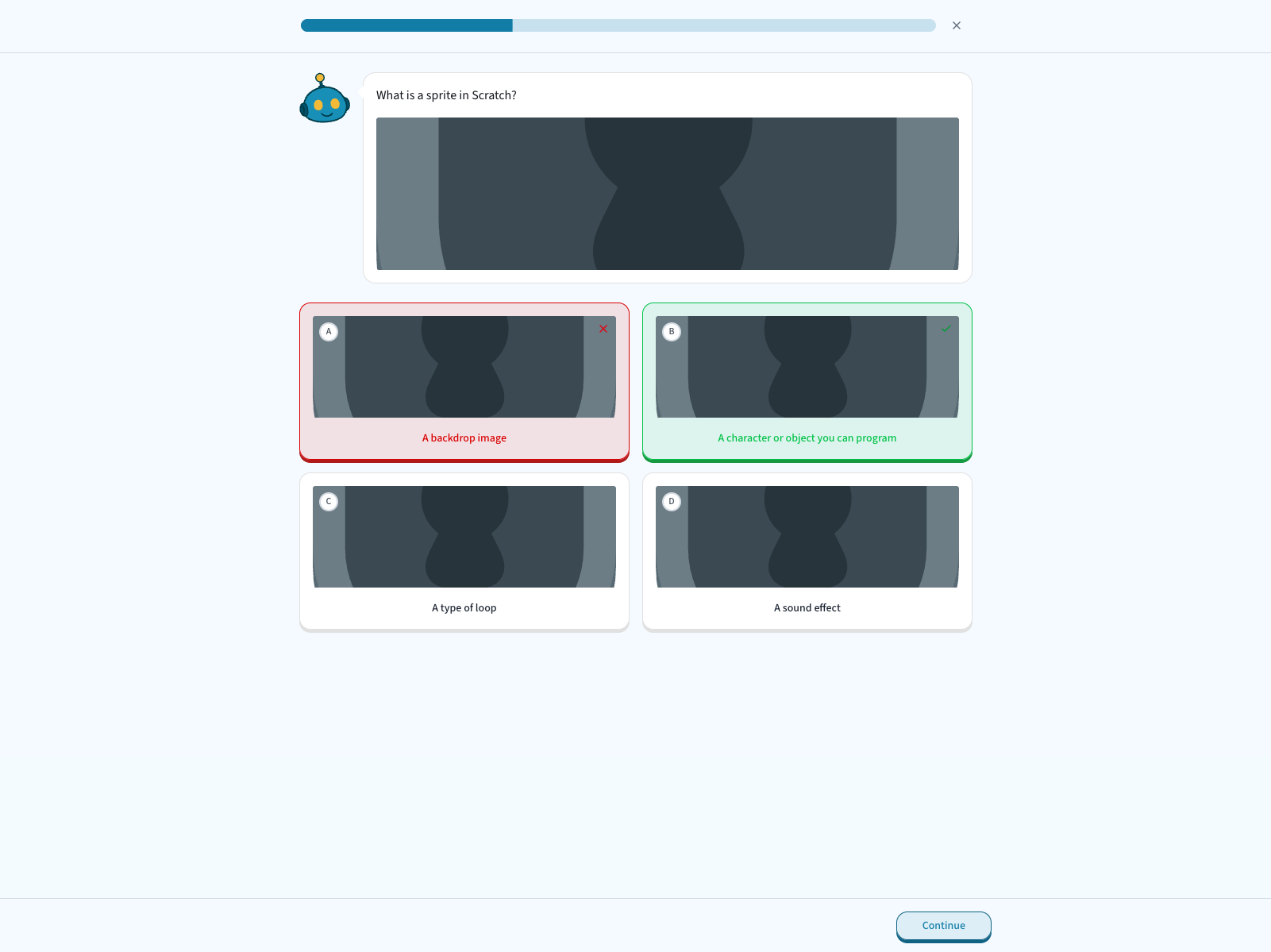
I separated the quiz experience into its own full-screen flow, distinct from the main navigation shell. This was a deliberate UX decision — quizzes demand focus, and removing the sidebar and other distractions helps students concentrate on the questions.
Coding problems support draft saving, so students can start a problem, leave, and come back without losing their work. Submissions go to a review queue where tutors grade them through the Filament panel I built on the backend.
Gamification
Engagement for a children's platform cannot rely on content alone — it needs game-like incentives. The student platform integrates a complete gamification system:
- XP and levels — students earn experience points for completing steps and courses, with visible level progression on their profile
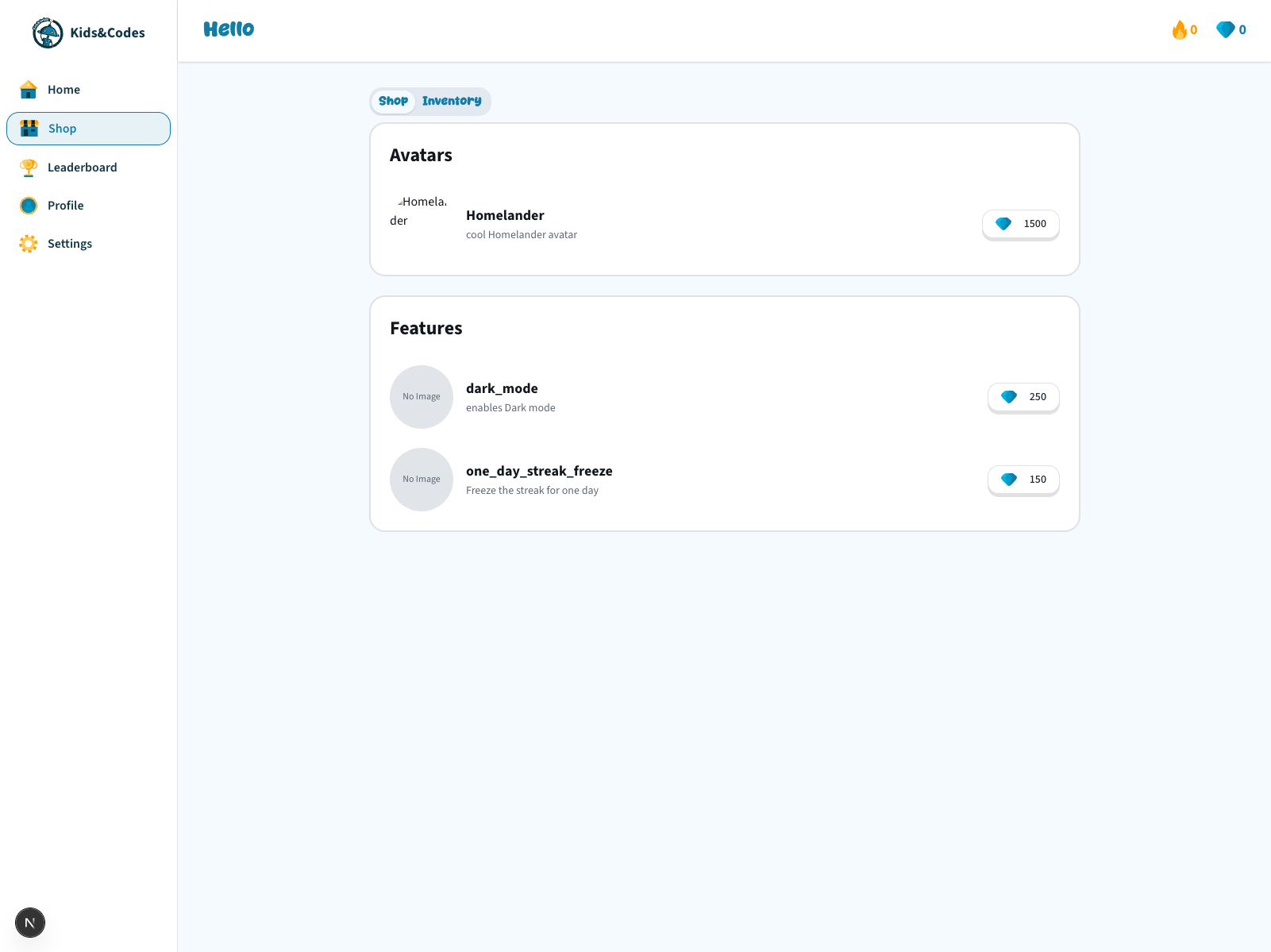
- Diamonds — an in-app currency earned through achievements, spent in the shop
- Shop and inventory — students can purchase items like avatar decorations or unlock premium features (dark mode, for example, is a purchasable item rather than a free toggle — a deliberate product decision to make it feel like a reward)
- Badges — awarded for milestones like finishing a course or maintaining a streak
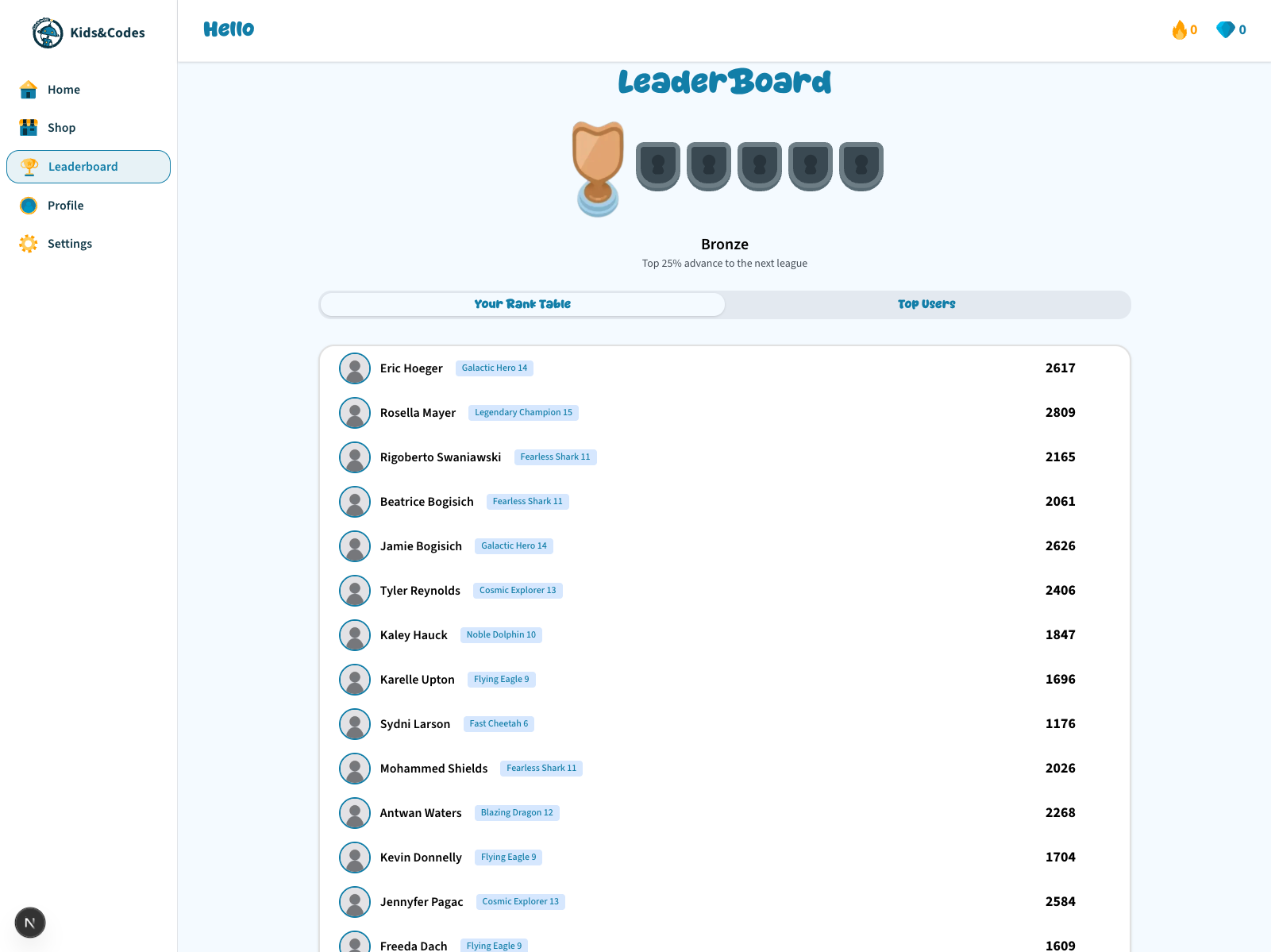
- Leaderboard and leagues — weekly competitive rankings that reset periodically, giving students a reason to stay engaged
Social Features
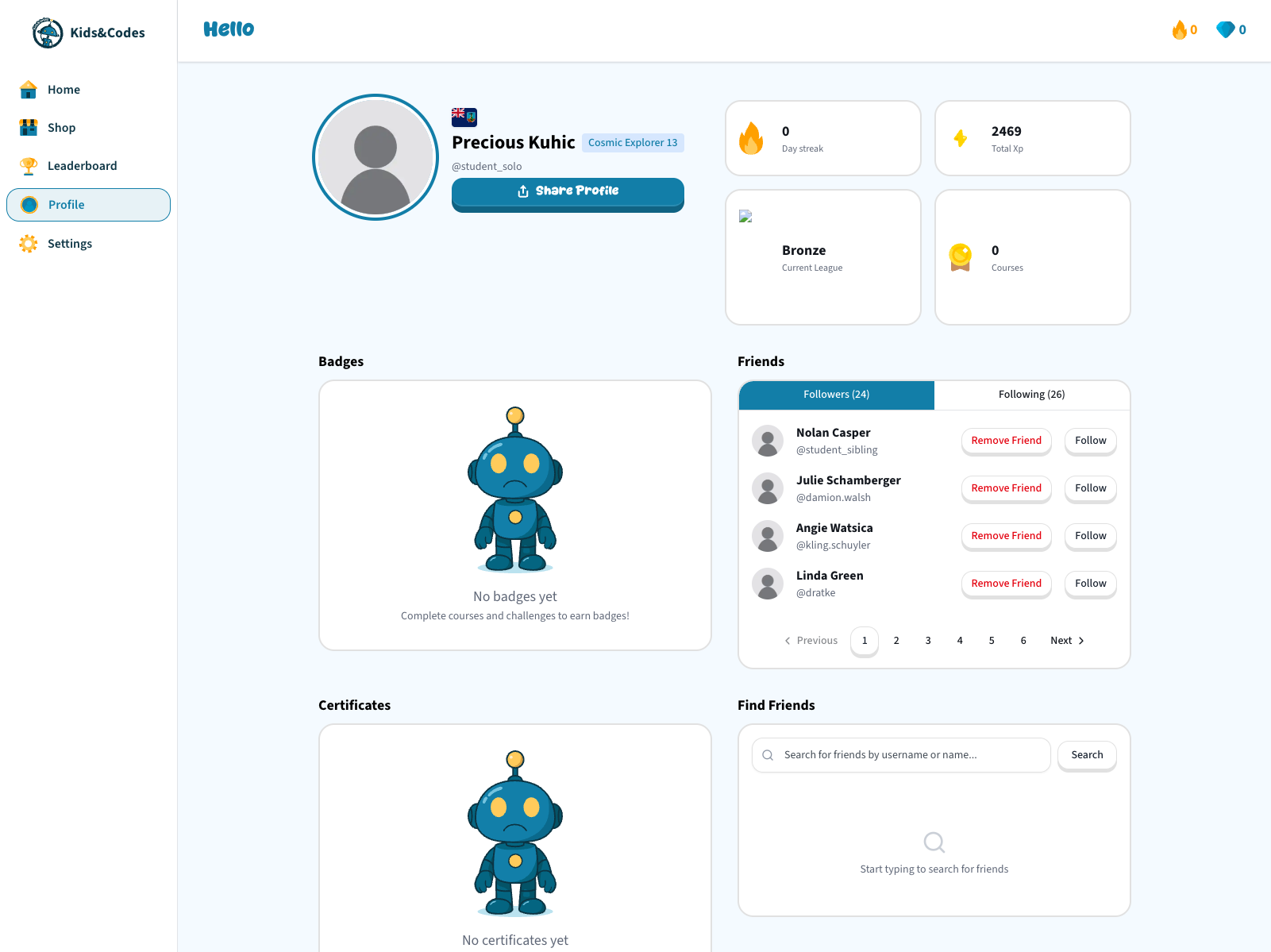
Each student has a public profile showing their level, badges, certificates, and stats. Students can search for and follow each other, creating a lightweight social layer that encourages friendly competition and a sense of community.
Internationalisation and Theming
The platform supports English, Arabic, and German with full right-to-left layout for Arabic. I designed the authentication system so that the user's locale is stored in a cookie, which the server reads before rendering each page. This means the first paint is already in the correct language — there is no flash of English content before Arabic loads, which would feel broken.
7. Parent App — Mobile Experience
Parents need a fundamentally different experience than students — they are not learning, they are monitoring and managing. I built the parent app as a cross-platform mobile application using Expo (React Native), deployable to iOS, Android, and the web from a single codebase.
What parents can do:
- Register and verify — parents sign up with their email or phone number, verify via a one-time password, and complete their profile
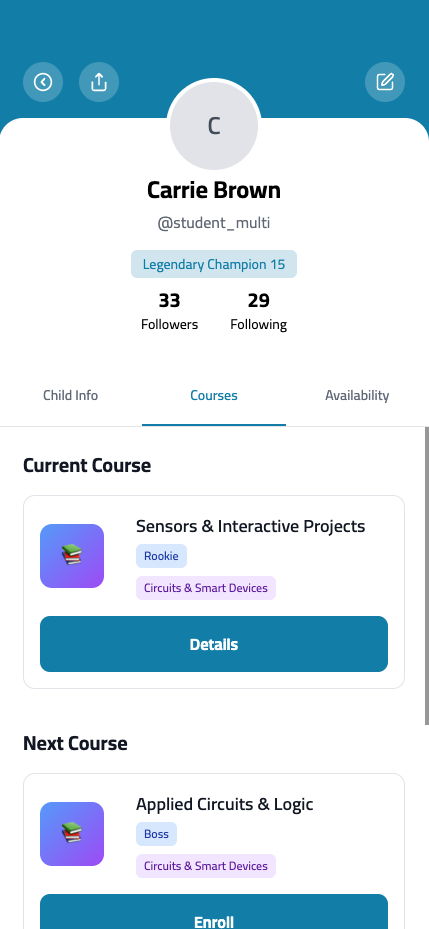
- Manage children — link one or more children to their account and see each child's course progress, grades, and activity
- Enroll in courses — browse available course instances, select one for their child, apply promotion codes, and pay via Stripe or cash
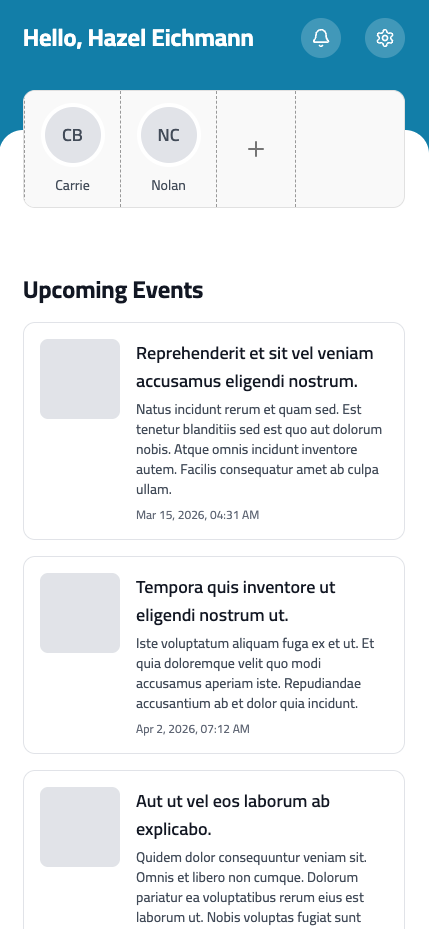
- Receive notifications — the app registers for Firebase push notifications on login, so tutors and admins can send session reminders, schedule changes, or progress updates directly to the parent's phone
Why a separate mobile app instead of a responsive web page:
Parents interact with the platform in short, frequent bursts — checking a notification, glancing at a progress update, approving a payment. A native mobile app with push notifications serves this pattern far better than a browser tab they would need to remember to open. The decision to use Expo meant I could ship to both iOS and Android without maintaining two native codebases, while still getting native push notification support and smooth mobile interactions like bottom sheets and pull-to-refresh.
8. Staff Dashboards — From Refine to Filament
This section tells the story of one of the most significant architectural decisions in the project: migrating the staff-facing admin interfaces from the frontend monorepo to the backend.
Phase 1: Refine in the Monorepo
Initially, I built all staff dashboards (admin, tutor, curriculum developer) as Refine + Ant Design applications inside the frontend monorepo. Refine is a React-based admin framework — you define "resources" and it generates CRUD interfaces for them.
The critical piece of engineering I did here was building a custom data provider — an adapter layer that translates between Refine's generic data model and our backend's specific API conventions (Laravel pagination, Spatie-style query filters, sort parameters). This adapter meant that adding a new admin table for any backend entity was almost zero-effort: I just declared the resource, and pagination, filtering, and sorting worked automatically.
I also built:
- A drag-and-drop course builder where curriculum developers could reorder units and steps within a course template visually
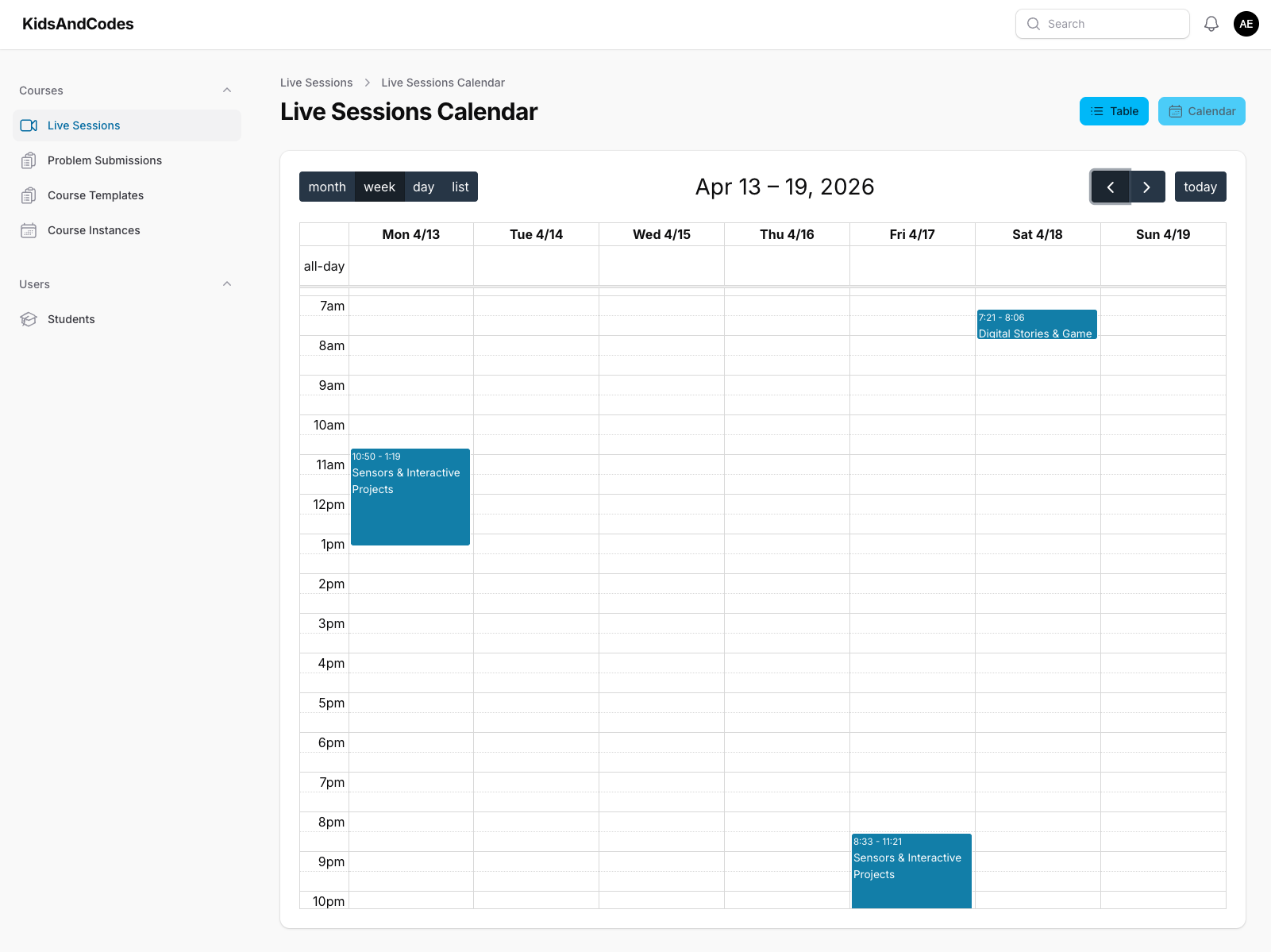
- A live session calendar where tutors could see their scheduled sessions, view details, and manage rescheduling
- A revenue dashboard with weekly and monthly charts
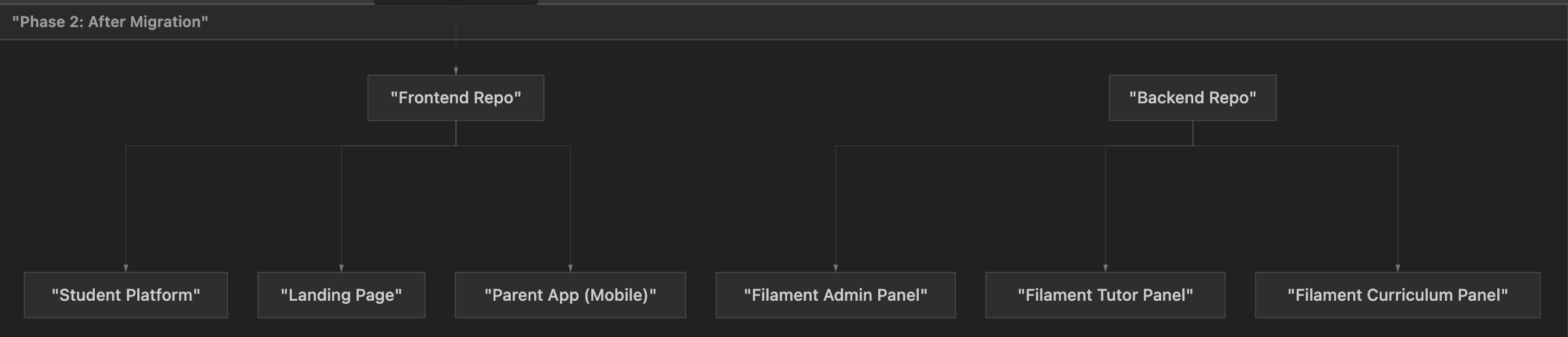
Phase 2: The Migration Decision
As the platform grew, maintaining admin UIs in the frontend became increasingly painful. The core problem: every change to a backend data model required a corresponding change in the frontend admin app. If Salah added a field to the enrollment model, I had to update the enrollment form, table columns, and validation on the frontend too.
Filament solved this by bringing the admin UI into the same codebase as the models. In Filament, the same PHP model that defines the API also defines its admin form and table — one change updates both. Complex forms with nested relationships (like a course template containing units, each containing multiple step types with translations in three languages) became dramatically easier to build.
The student platform and parent app stayed in the frontend monorepo — they need fully custom, brand-consistent UX that no admin framework can deliver. But for operational tools, Filament was the right trade-off: faster development, lower maintenance, tighter backend integration.
9. Backend — Filament Admin Panels
Note: The API, data models, business logic, payment integrations, and test suite were all designed and built by Salah Obied. My contribution to the backend was the Filament admin UI layer — the three panels, their resources, forms, tables, and dashboard widgets.
Three Panels, One Backend
I set up three isolated Filament panels, each tailored to a specific role:
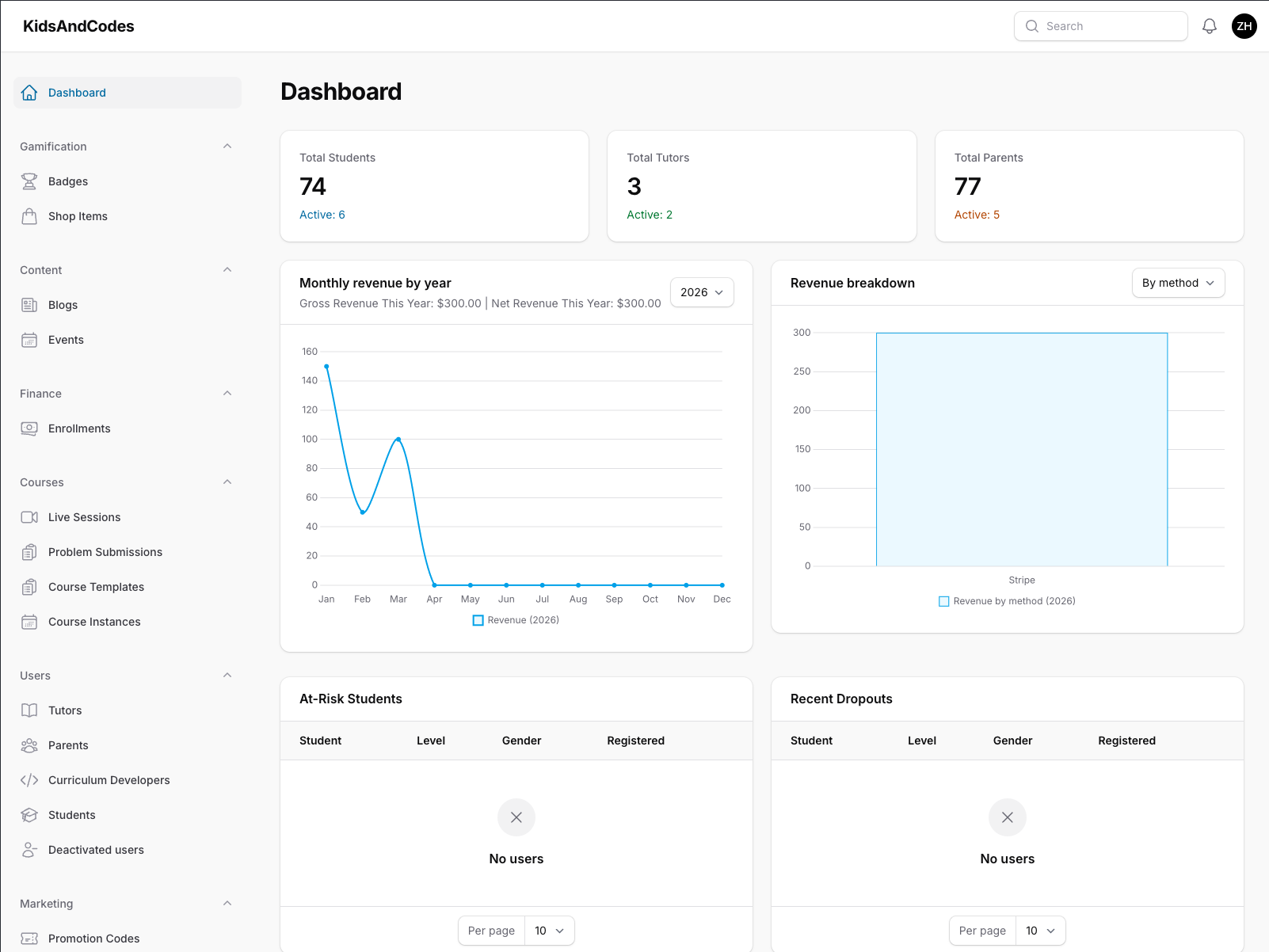
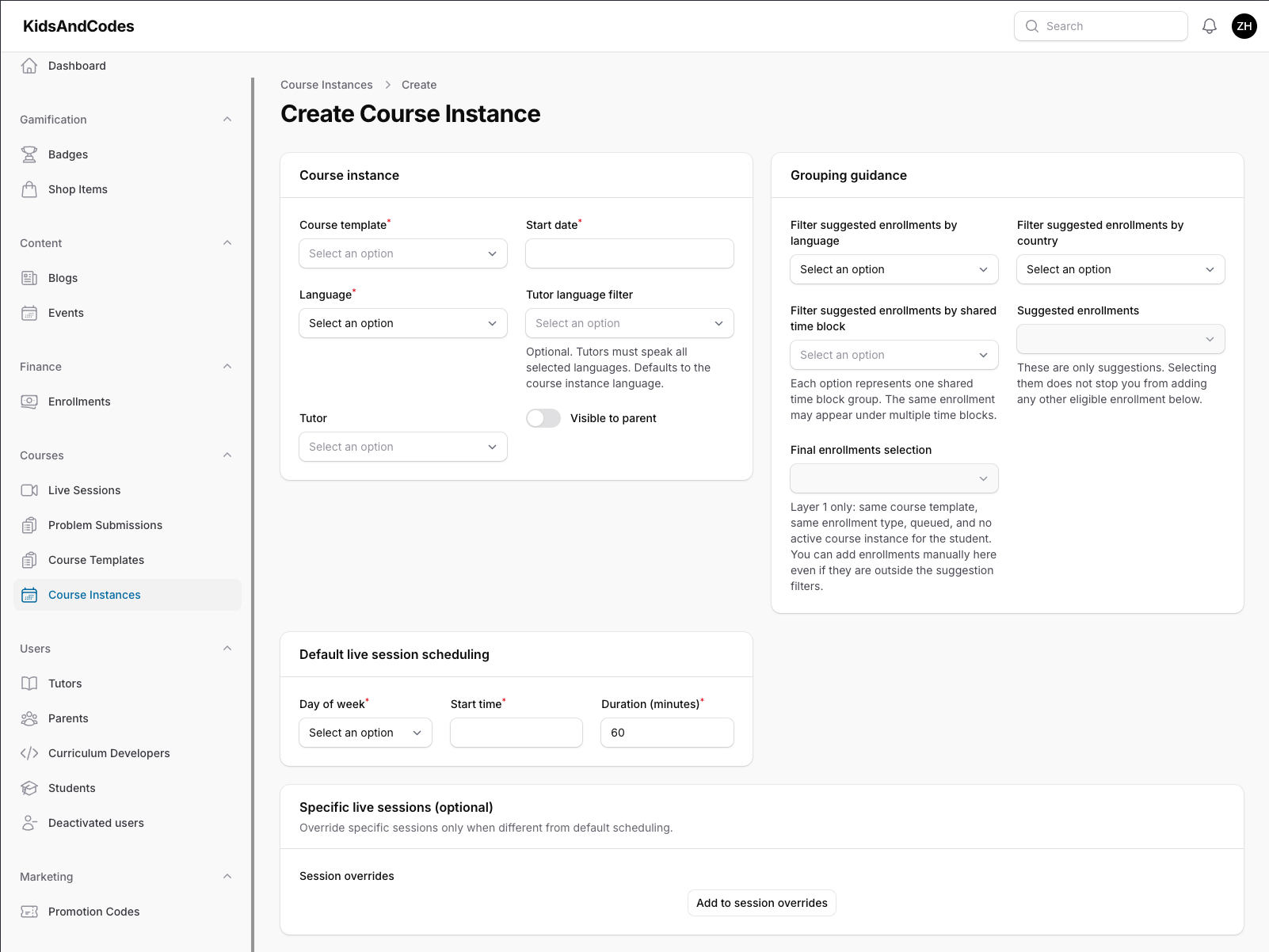
Admin Panel — The command centre for operations. It provides:
- A dashboard with live statistics (total students, tutors, parents, active enrollments), revenue charts (weekly and yearly), a table of pending cash payments awaiting confirmation, and proactive alerts for dropout and at-risk students
- Full management of 17 entity types: students, tutors, parents, curriculum developers, deactivated users, course templates, units, enrollments, course instances, live sessions, problem submissions, badges, shop items, events, blogs, notes, and promotion codes
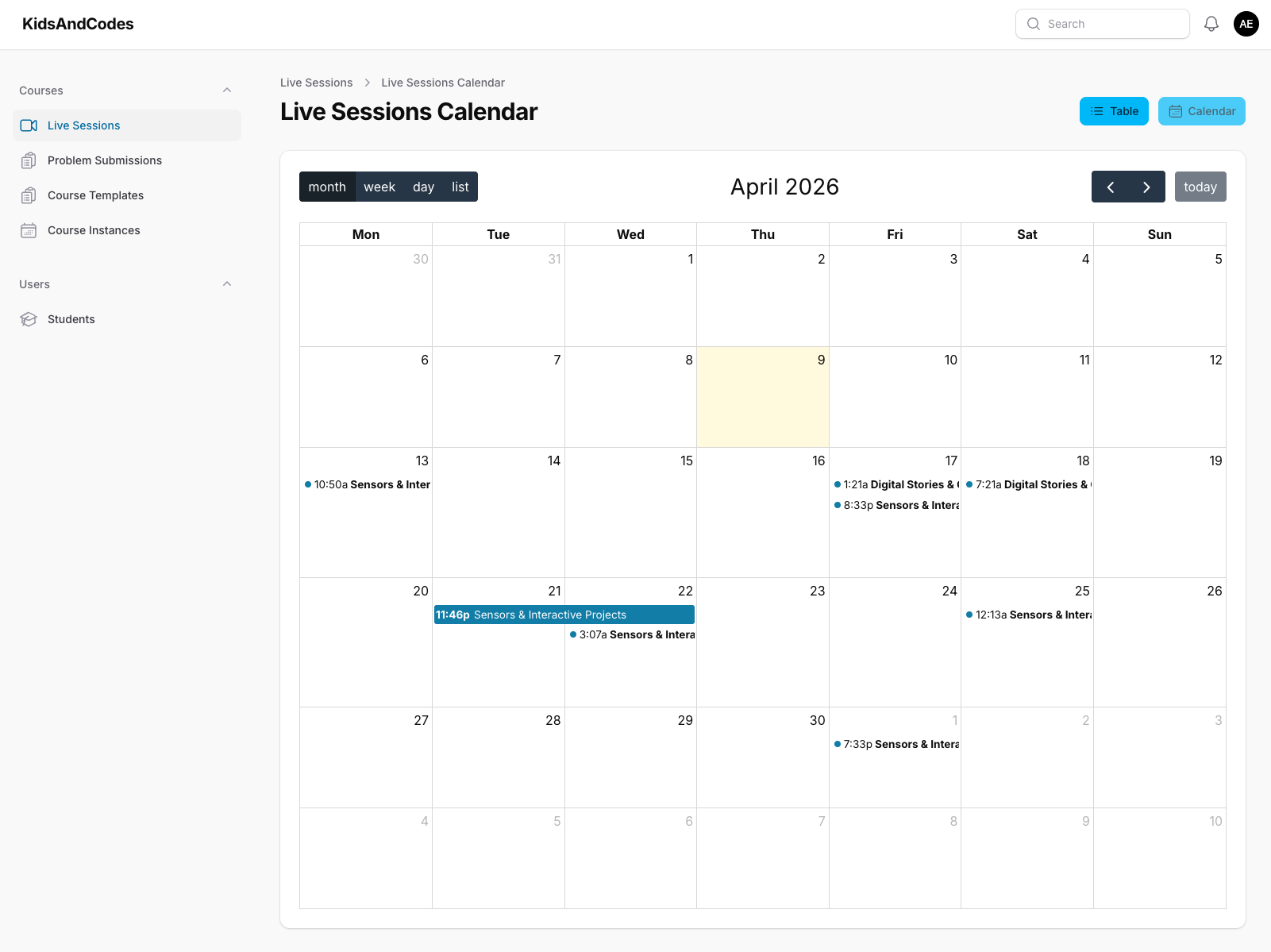
Tutor Panel — Scoped to only what a tutor needs. Tutors see their own assigned students and courses, not the full system. The centrepiece is an interactive calendar showing all their scheduled live sessions, where they can click through to session details and manage attendance.
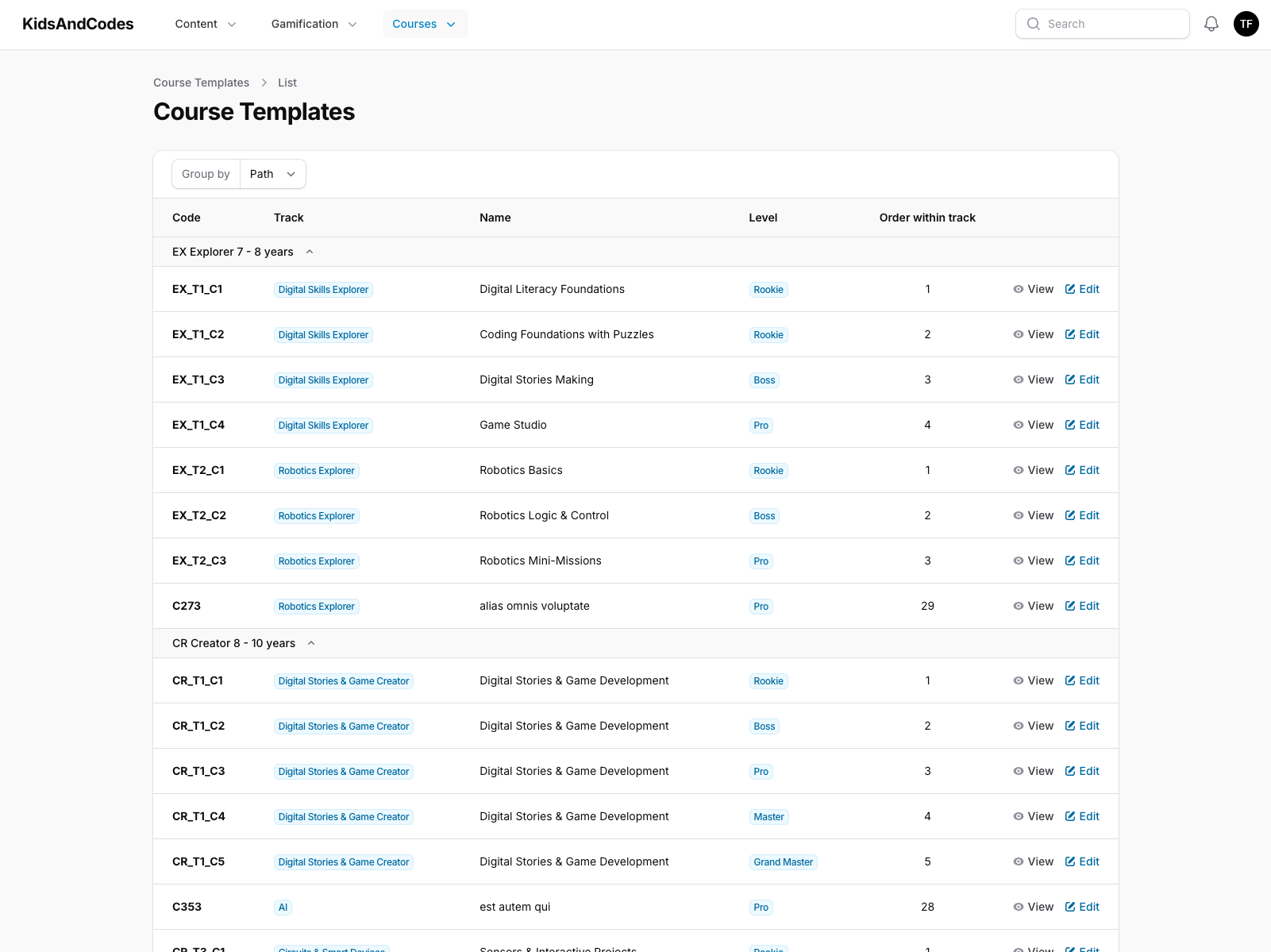
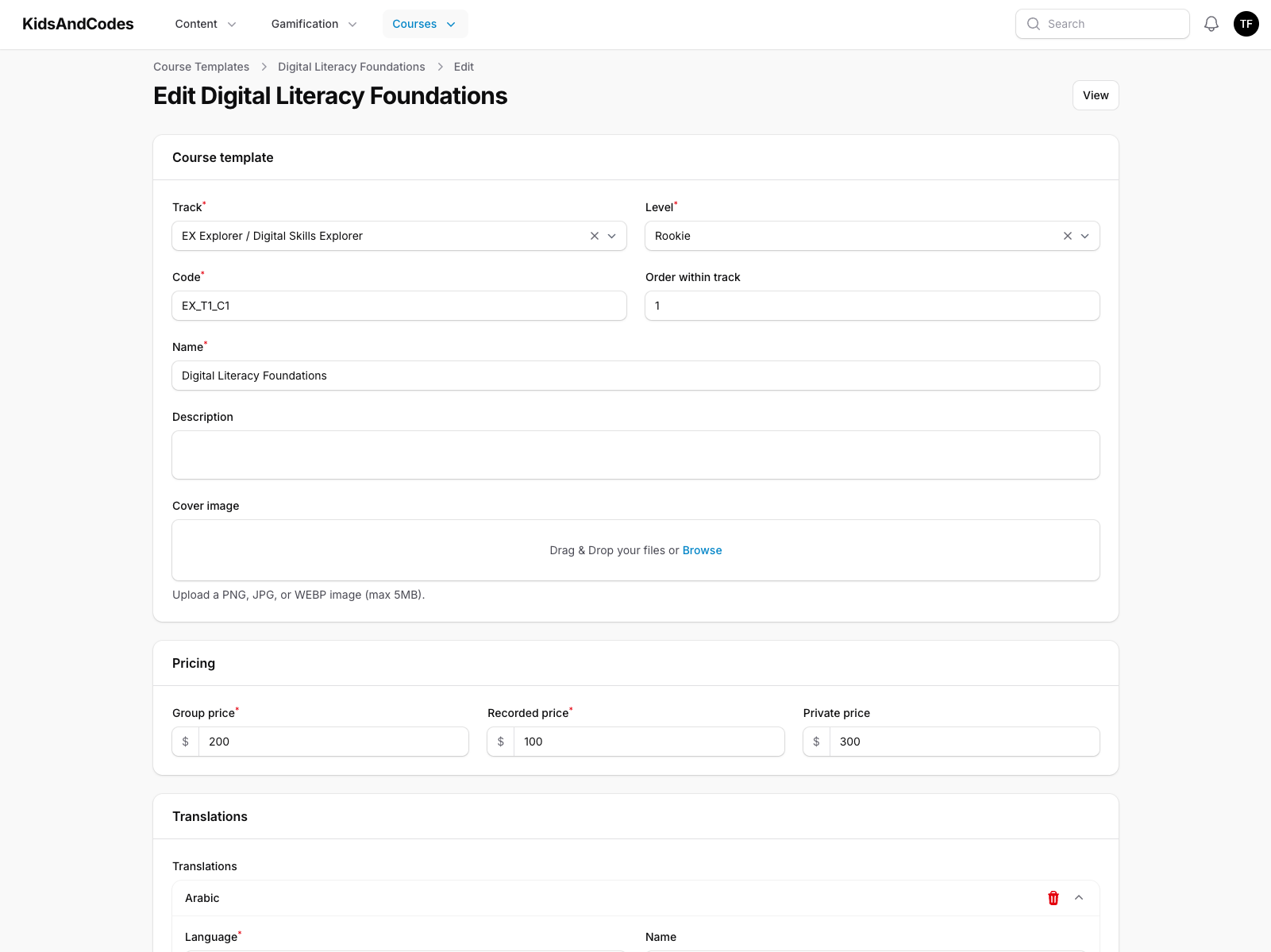
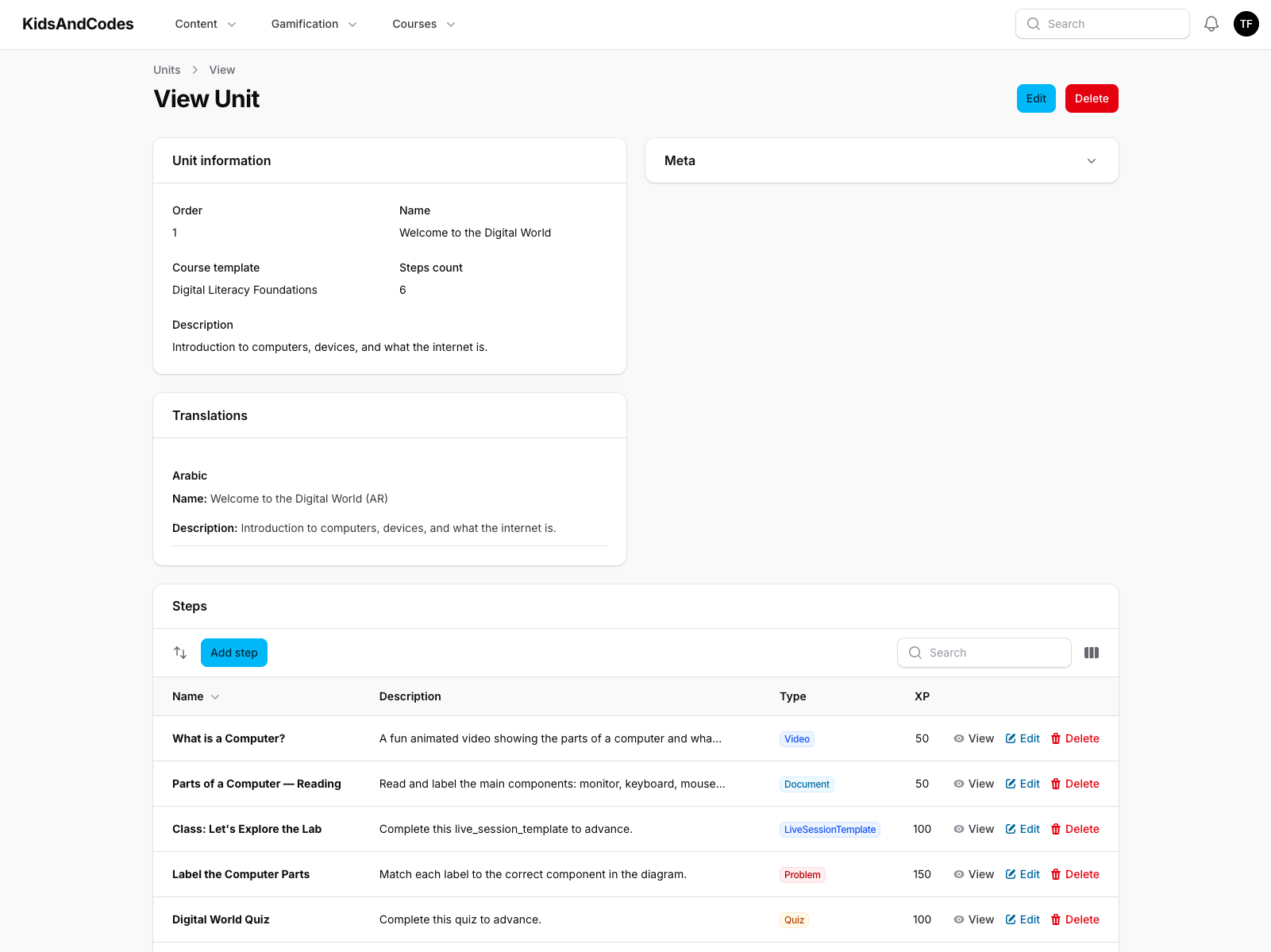
Curriculum Panel — Focused entirely on content authoring. Curriculum developers build course templates with nested units and steps (each step can be a video, document, quiz, or coding problem), manage blogs and events, and configure badges and shop items. I used a top-navigation layout instead of a sidebar to give content editors a cleaner workspace.
Role-Based Access
Each panel checks the user's role before granting access — an admin cannot accidentally open the tutor panel, and a tutor cannot access admin functionality. This is enforced at the framework level, not just hidden in the UI.
Solving the Media Upload Problem
One challenge that arose across all three panels was file uploads during record creation. Staff need to upload images (badge icons, blog covers, shop item thumbnails) while filling out the creation form — but the record doesn't exist in the database yet, so there is no ID to build a storage path from.
My solution was to generate the record's unique identifier at form render time rather than at save time. The upload goes to a path built from this pre-generated ID, and when the form is saved, the record is created with that same ID. The result is a seamless experience: the image appears instantly in the form, and by the time the user hits "Save", the file is already stored in the right location.
10. Challenges & How I Solved Them
Challenge: Authenticated server-side rendering
The problem: The student platform renders pages on the server for performance, but server-rendered pages need to fetch data from the authenticated API. The authentication token lives in the browser — so how does the server know who the user is?
My approach: I designed the authentication flow to store the token in an HTTP cookie rather than localStorage. This way, the server receives the token automatically with every request. I built a unified API client that detects whether it is running on the server or in the browser and reads the token from the appropriate source — server-side cookies on the server, browser cookies on the client. The consuming code never needs to care which environment it is in.
Challenge: Five apps sharing one design system without version drift
The problem: With six frontend applications, any shared dependency (React, a UI component, a utility function) could end up at different versions across apps. A subtle version mismatch in React, for example, can cause runtime errors that are extremely difficult to debug.
My approach: I created a layered shared-package architecture within the monorepo. Instead of each app declaring its own version of shared libraries, they all depend on a single shared-dependency package that pins exact versions. Upgrading React is one change in one place — every app gets it simultaneously. I also configured package manager overrides to prevent transitive dependencies from pulling in conflicting versions.
Challenge: Bridging two different API conventions
The problem: The Refine admin framework expects APIs to behave a certain way (its own filter format, pagination structure, etc.), but our backend follows Laravel conventions with Spatie Query Builder syntax, which is completely different.
My approach: I built a custom adapter layer that sits between Refine and our API. It translates Refine's generic data requests into the exact query parameter format our backend expects, and translates the Laravel-style paginated responses back into what Refine understands. Once this adapter was in place, creating any new admin table was trivial — I just told Refine which endpoint to use, and filtering, sorting, and pagination worked out of the box.
Challenge: When to migrate and when to keep what works
The problem: The Refine-based admin dashboards I built in the frontend were functional, but every backend model change required a corresponding frontend update. As the backend grew rapidly, this synchronisation overhead was slowing us down.
My decision: Rather than defending the existing approach because I had already invested time in it, I evaluated Filament objectively and concluded that for operational/admin interfaces, it was the better tool. The staff dashboards were migrated to Filament, but the student platform and parent app — which need fully custom UX — stayed in the frontend monorepo. Knowing when to change course and when to stay the course is, I believe, one of the most important skills in software engineering.